
Permissions and access
Team Forms uses Microsoft 365 identities, teams, groups, and SharePoint permissions. Access can be granted to individual users or to SharePoint and Microsoft Entra ID groups.
Team-level permissions
Section titled “Team-level permissions”Team-level permissions define who can build forms and who can respond to forms across the team. Open Team Settings, select Permissions, and assign the appropriate roles to users or groups.
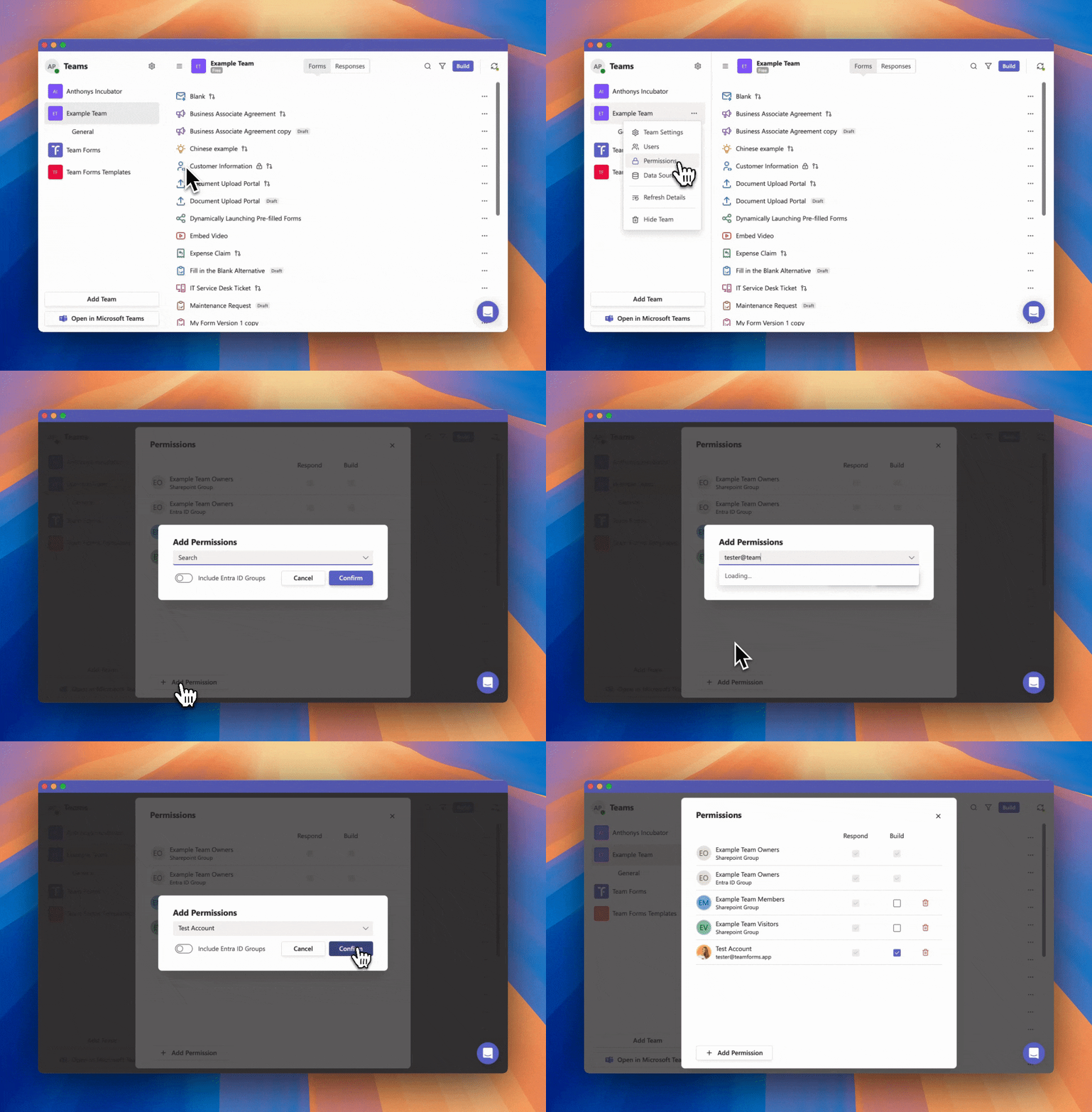
Use group-based assignments where possible so access follows your organisation’s existing membership process.
Form-level permissions
Section titled “Form-level permissions”A form can override the team defaults. Open the form builder, select the … menu, and choose Permissions:
- Builder permissions control who can edit and review the form.
- Form permissions control who can open and submit the form.
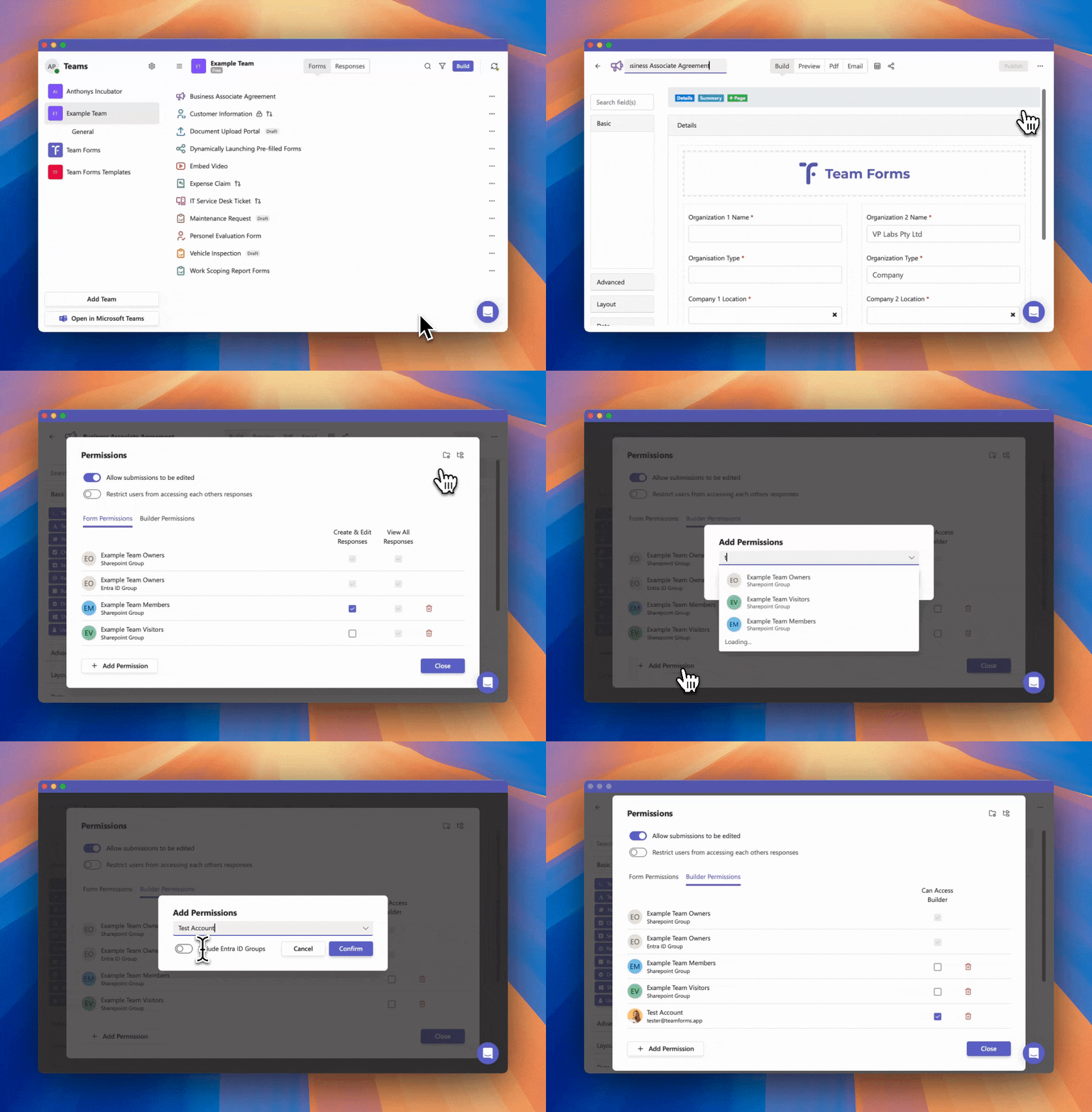
Use a form-level rule when a user should edit or respond to one form without receiving the same access across the team. Component permissions can additionally hide selected form content from particular users.
External, public, and anonymous access
Section titled “External, public, and anonymous access”Data sources have a separate Access method under Advanced settings → Data access. User access requires the responder to have permission to the underlying SharePoint source. Managed access uses an authorised Microsoft connection, so responders do not need direct SharePoint access. Public links additionally require Public form access on each referenced source. See Managed access and public data sources for setup and how to choose which data visitors can access.
Team guests can use forms when their team and form permissions allow it. An Anyone link can allow access without team membership or sign-in. Each link can optionally require email verification; review its settings before sharing. Public access and anonymous submission are related but separate choices, so confirm both the share-link type and the form’s responder settings.
- External users
- Invite external users
- Make responses anonymous
- Require identified submissions
- Block public forms in an organisation
Microsoft administrators may also need to grant application consent. See App permissions explained, organisation-wide consent, and Team Forms security.