How to add links to your form
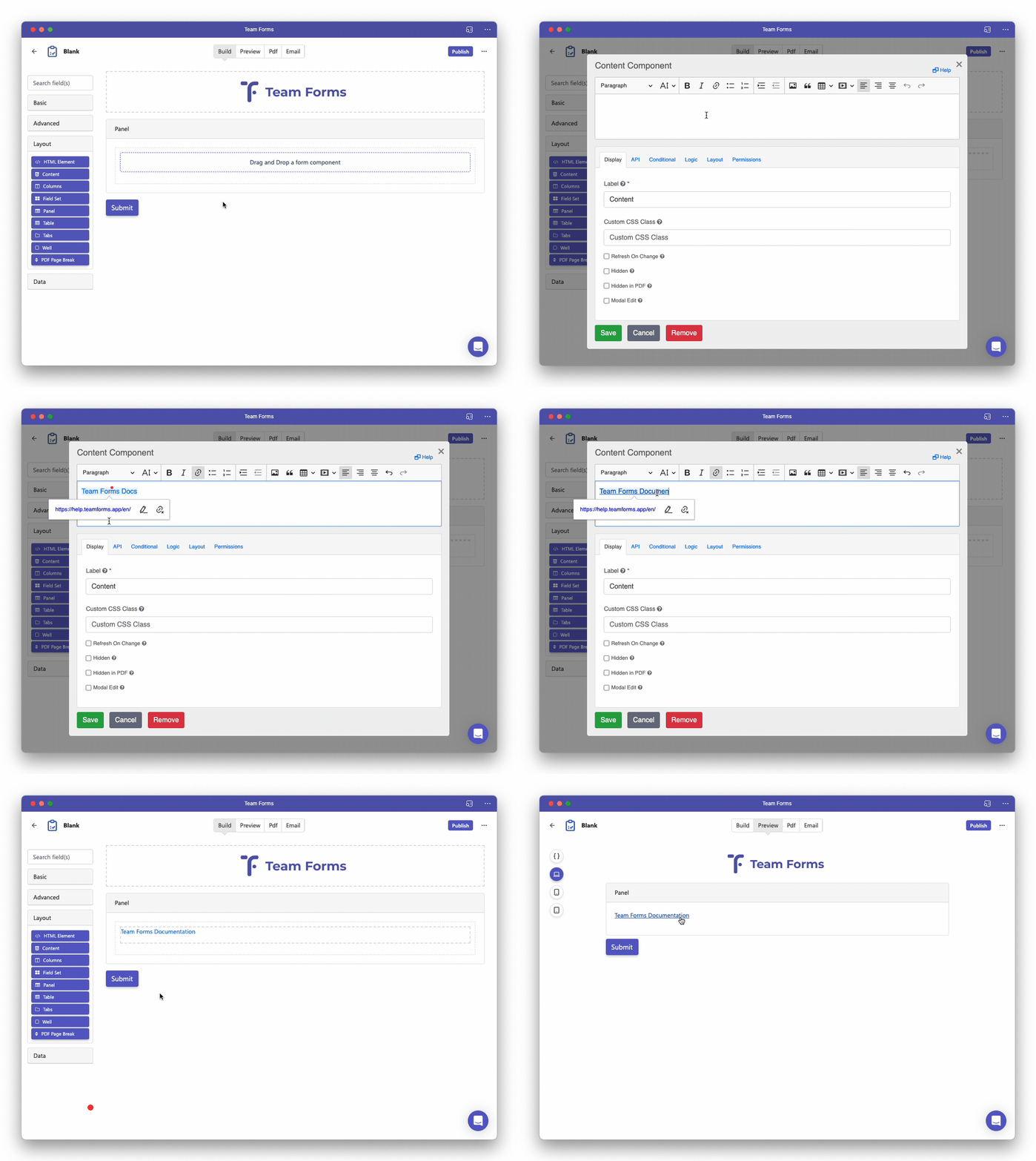
To add a hyperlink to external content into your form you can use the content component located under the “layout” section in the form builder.
-
Drag and drop a content component into your form.
-
Under the content dialogue paste in the URL you wish to display along with any other content like text paragraphs, bullet points, images and video
-
You can modify the hyperlink text by clicking on the text in the editor.