Copy forms between organizations
Because organisations are competely isolated from one another in Microsoft 365 the copying of forms between organisations required a few extra steps. These steps are outlines below.
Copying the source code
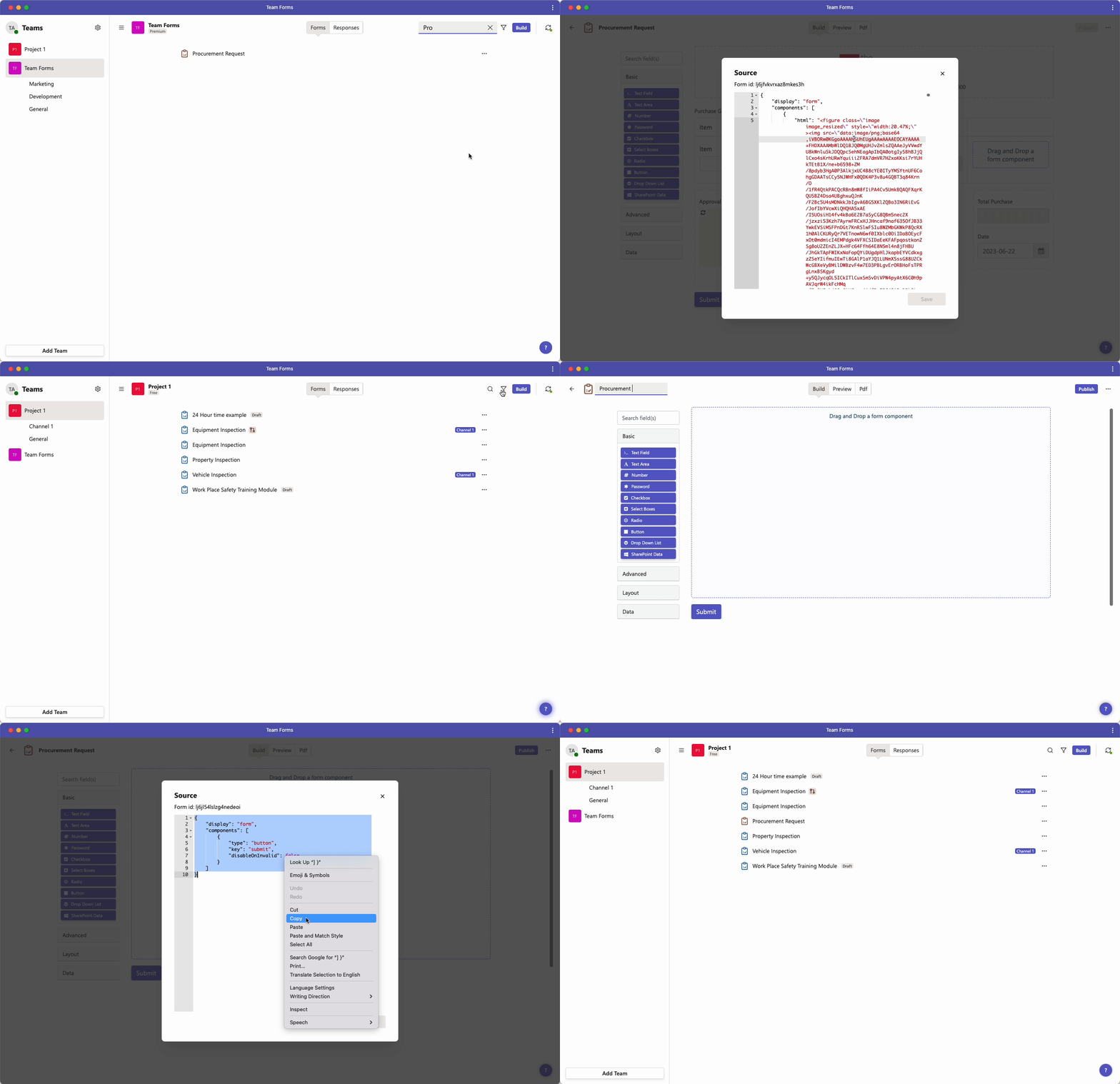
Section titled “Copying the source code”To copy a form from one organisation to another simply copy and paste the source code in the form builder screen using the instructions below.
-
Go to the builder screen for the form you want to copy
-
In the top right-hand corner click the ”…” icon and click “Source”
-
copy the source code that appears and click “Close”
-
Navigate to Team Forms int he other organisation and create a new blank form
-
In the top right-hand corner of the form builder click the ”…” icon and click “Source”
-
Paste the source code you copied earlier into the text box and hit “Save”