Barcode Scanner Component
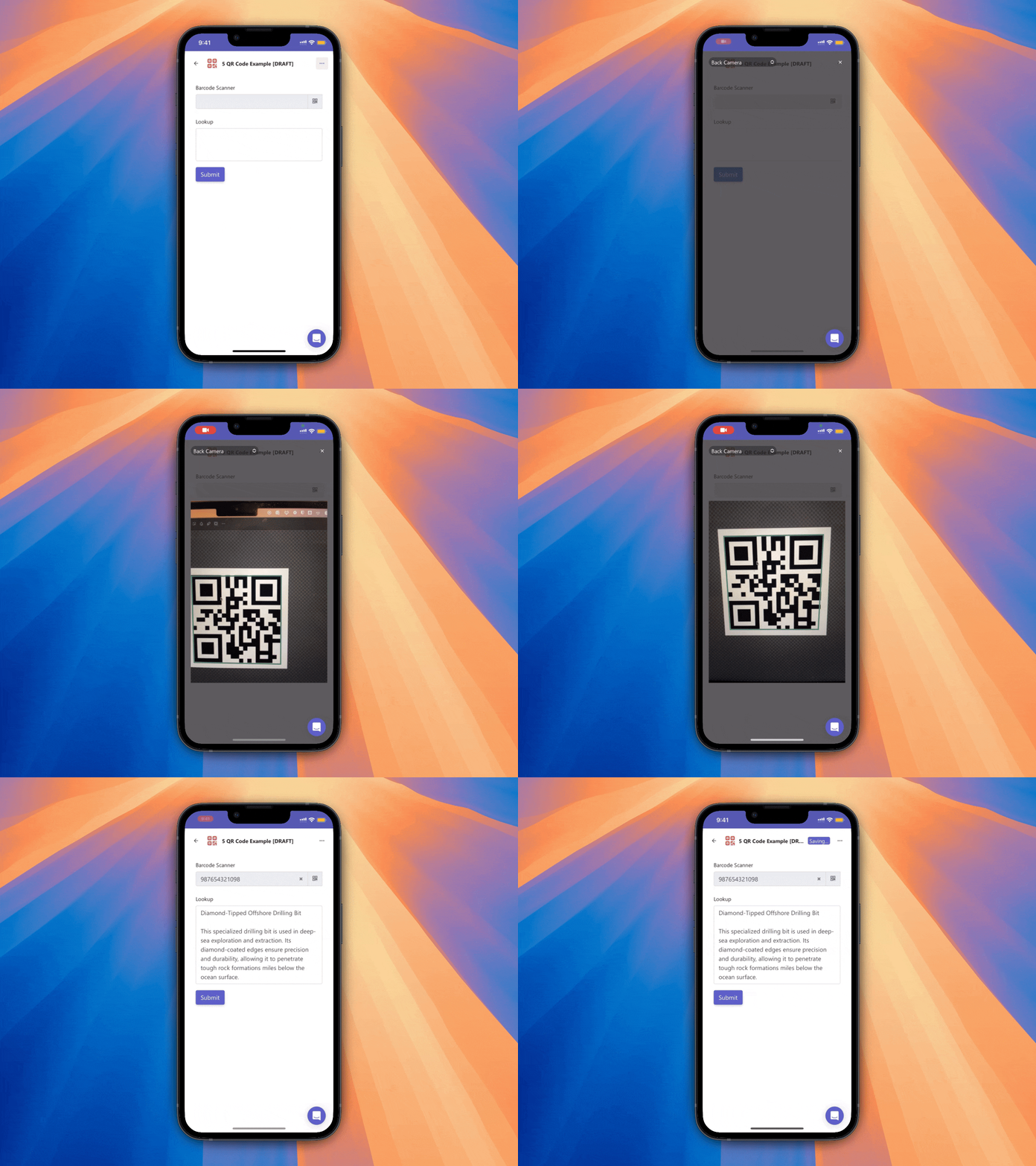
The Barcode Scanner component is a powerful feature in Team Forms that allows users to scan various types of barcodes—including QR codes—using their device’s built-in camera. This feature helps eliminate manual data entry errors by enabling fast and accurate barcode scanning, making it ideal for use cases like inventory management, asset tracking, and on-site inspections.
The component functions similarly to a text field but with an added button to activate the scanner. When the button is tapped, the camera opens and allows the user to scan a barcode. Once scanned, the value is automatically entered into the field, streamlining data capture and ensuring consistency.
Key Features
Section titled “Key Features”-
Supports a wide range of barcode types, including QR codes.
-
Works across mobile and desktop devices with camera access.
-
Reduces the risk of typos or incorrect entries.
-
Perfect for operational scenarios that require quick and reliable data input.
By integrating barcode scanning directly into your forms, you can greatly improve efficiency and data accuracy with minimal setup.