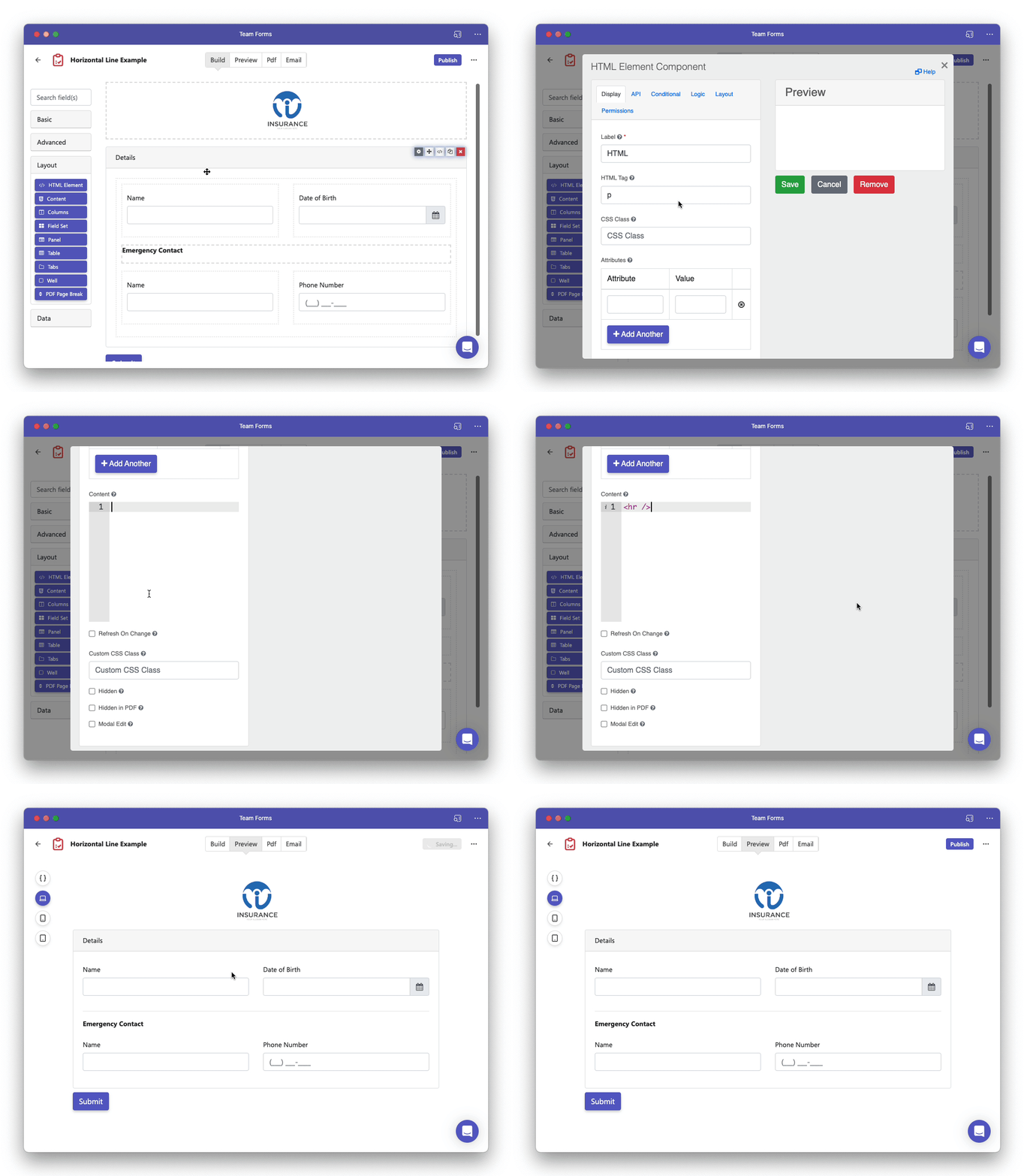
How to add a horizontal line in your form
To add a horizontal line in your form simply drag and drop a HTML Element into your form. Under the component settings simply insert the following html code into the content section. Note that the
tag represents a horizontal rule.
<hr />