How do I remove a component
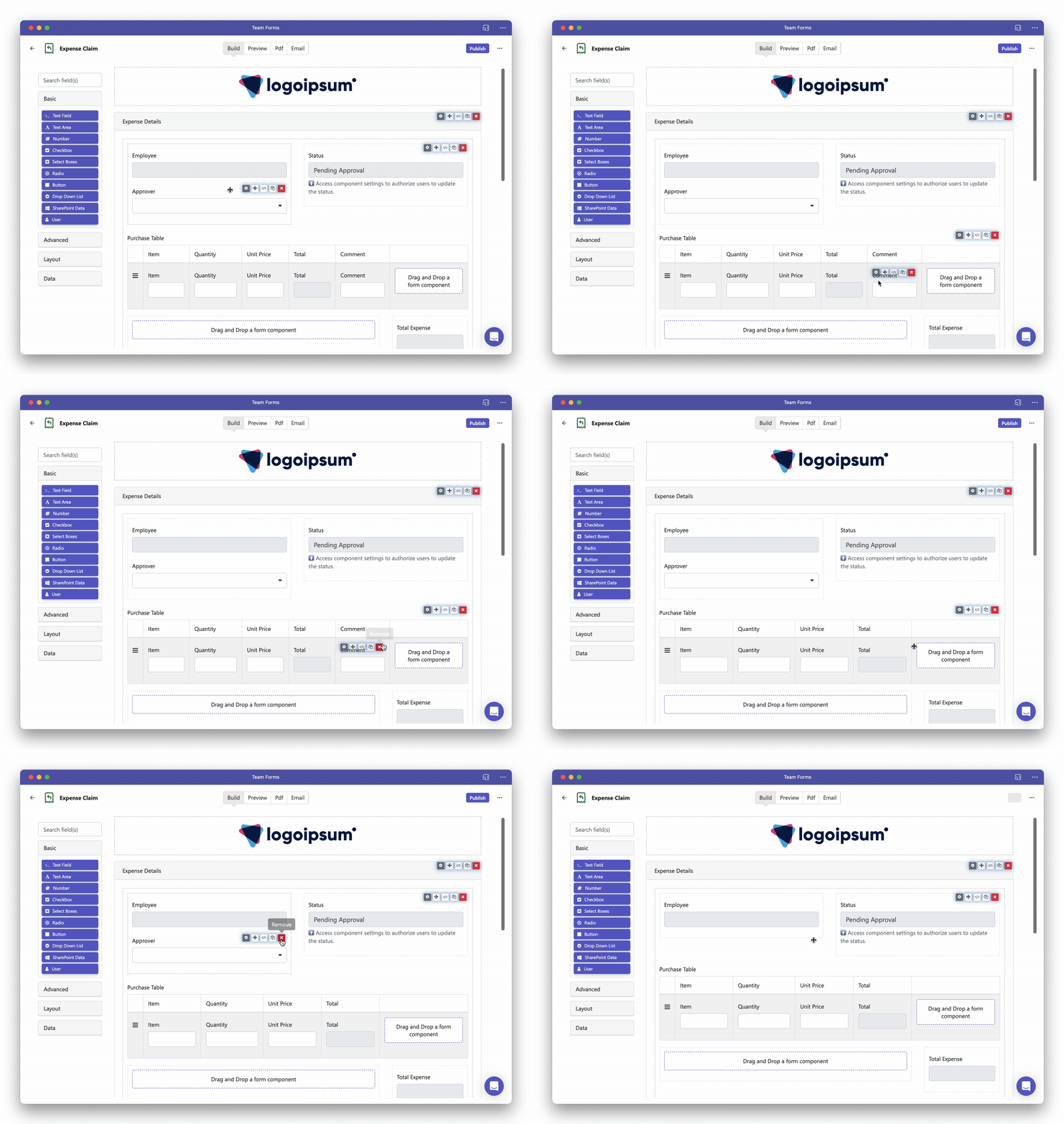
To remove a component for you can use the following steps:
-
Open the form builder to your form
-
Hover over the component you wish to remove You should see a red “x” icon appear at the top right and corner of the component
-
Click the “x” icon to remove the component
When your component is nested inside another component like a data-grid or column you will see an “x” component appear for all related components.