Manually refreshing a data source
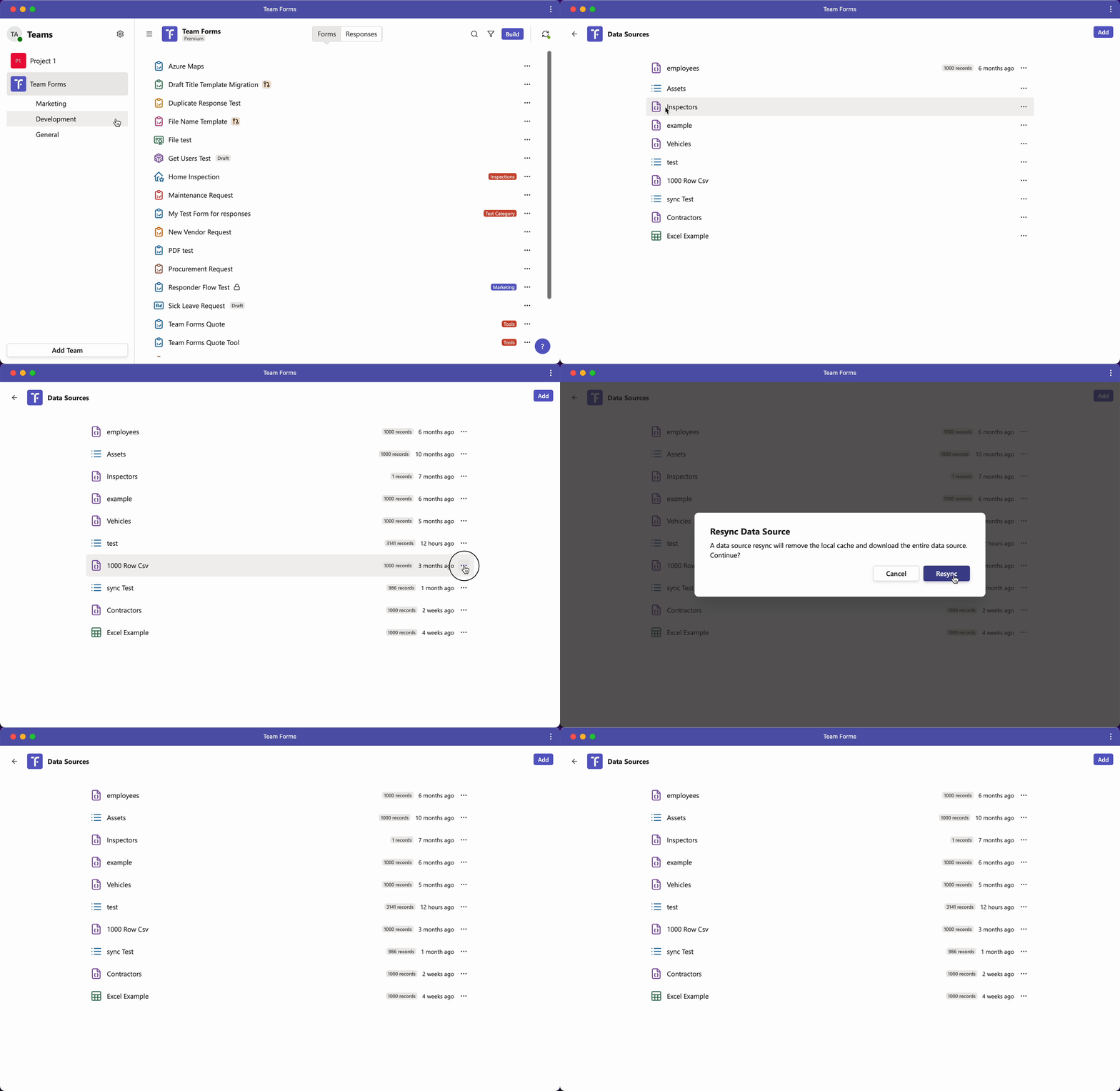
Datas sources will automatically sync and be kept up to date with changes in SharePoint, however some rare circumstances a datasource may need to be manually synced. In this case you can manually sync the data by following the instructions below:
-
Navigate the the data sources screen for your team
-
Locate the data source you want to manually sync
-
Click the ”…” icon and resync