How to create multi-page forms
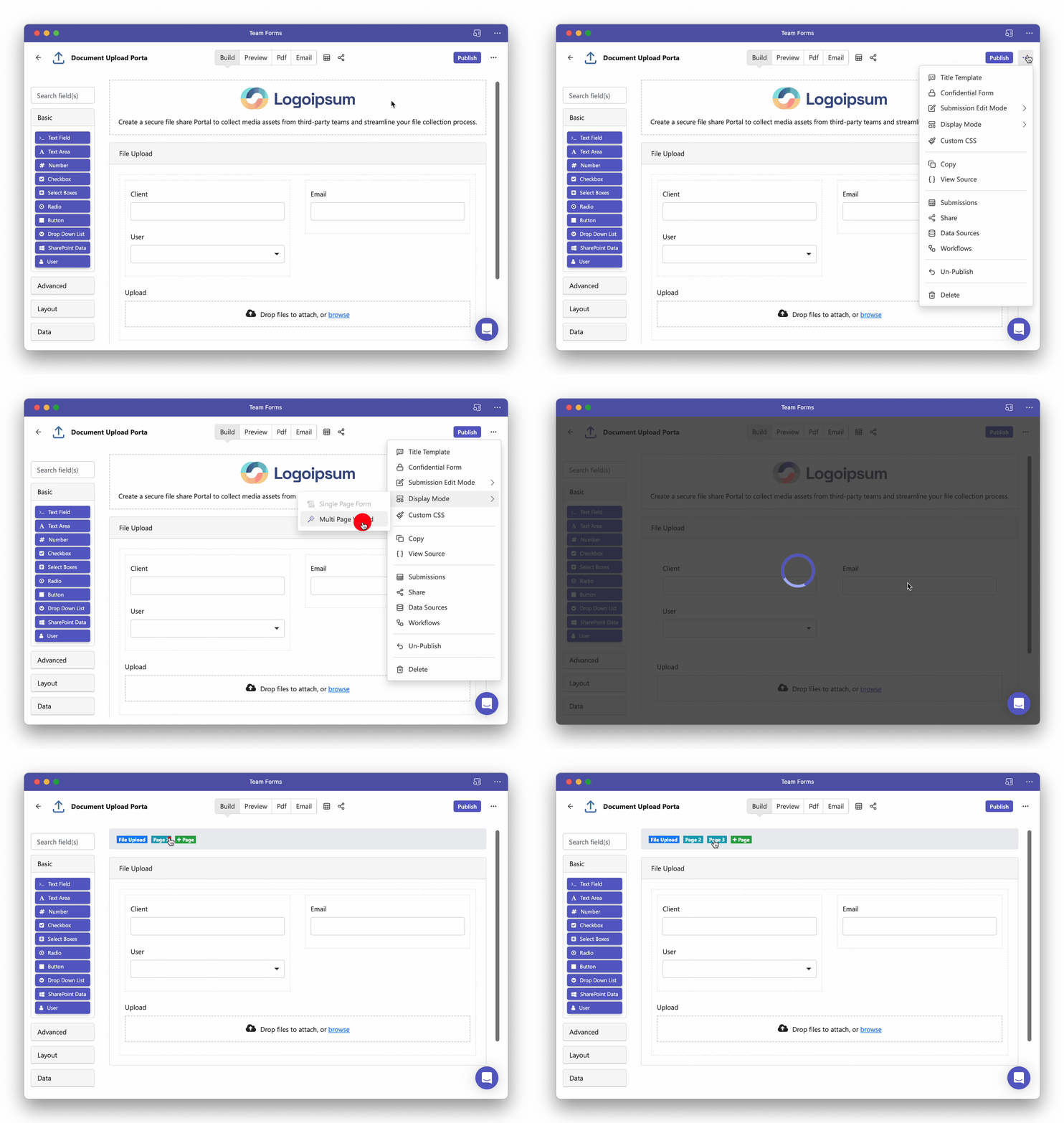
Multi-page forms (wizards) are a great option of large forms where questions are best organised in different pages. Use the steps below to convert an existing form into a multi-page wizard:
-
Open the builder screen for the form
-
In the top right hand corner click the ”…” icon to reveal the context menu
-
Click Display Mode > Multi-page wizard
-
From here you can use the tabs at the top of your screen to add and switch between pages