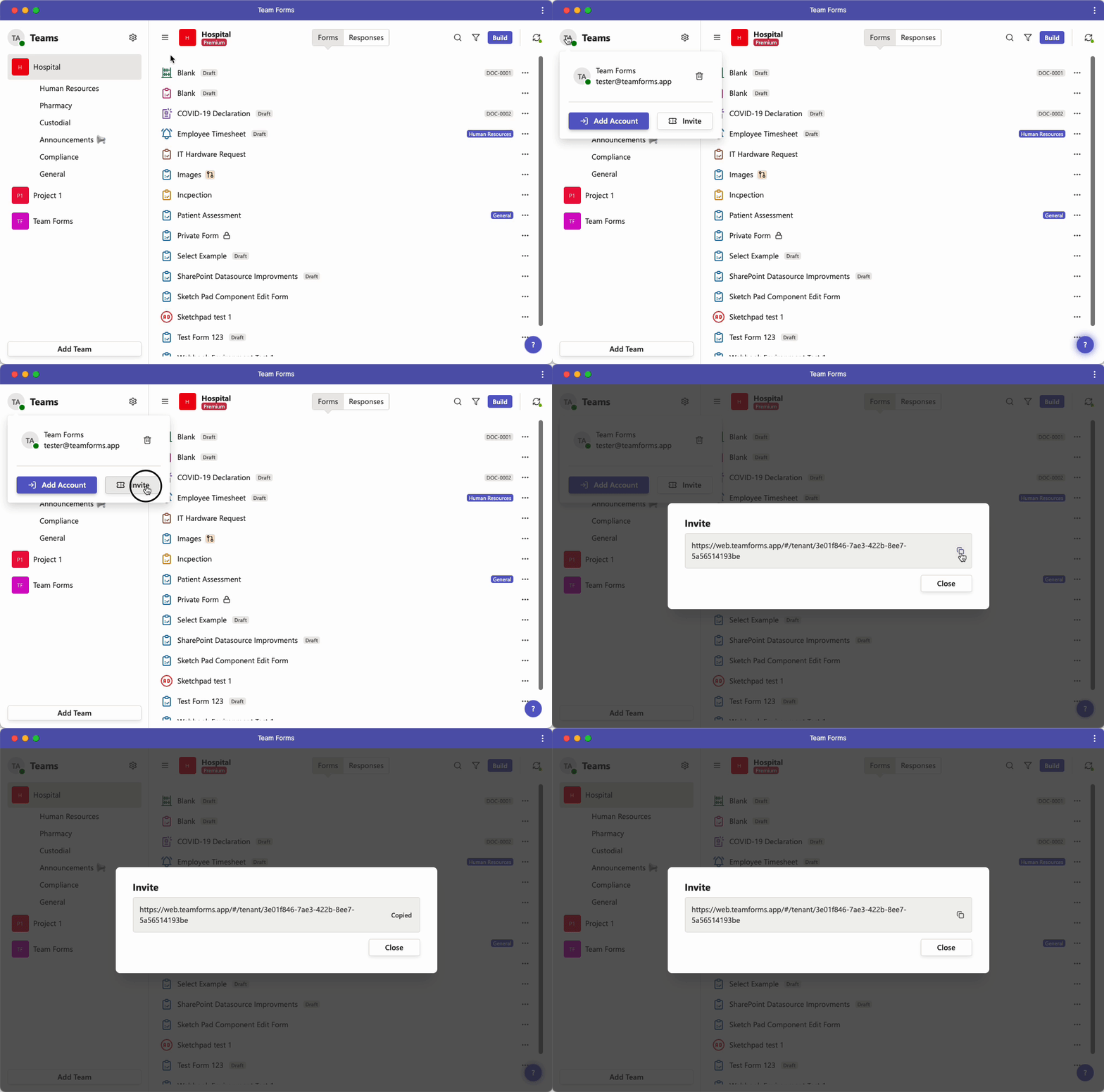
Invite external users to your forms
Forms built within your organisation/team are automatically available to members of your team. Forms can also be shared with people outside of your organisation without any additional licensing. The external users can be a personal Microsoft account (e.g. collaborator@gmail.com) or a Work/School account (e.g. user@company.com)
To share your Team Forms externally you will need to do the following:
-
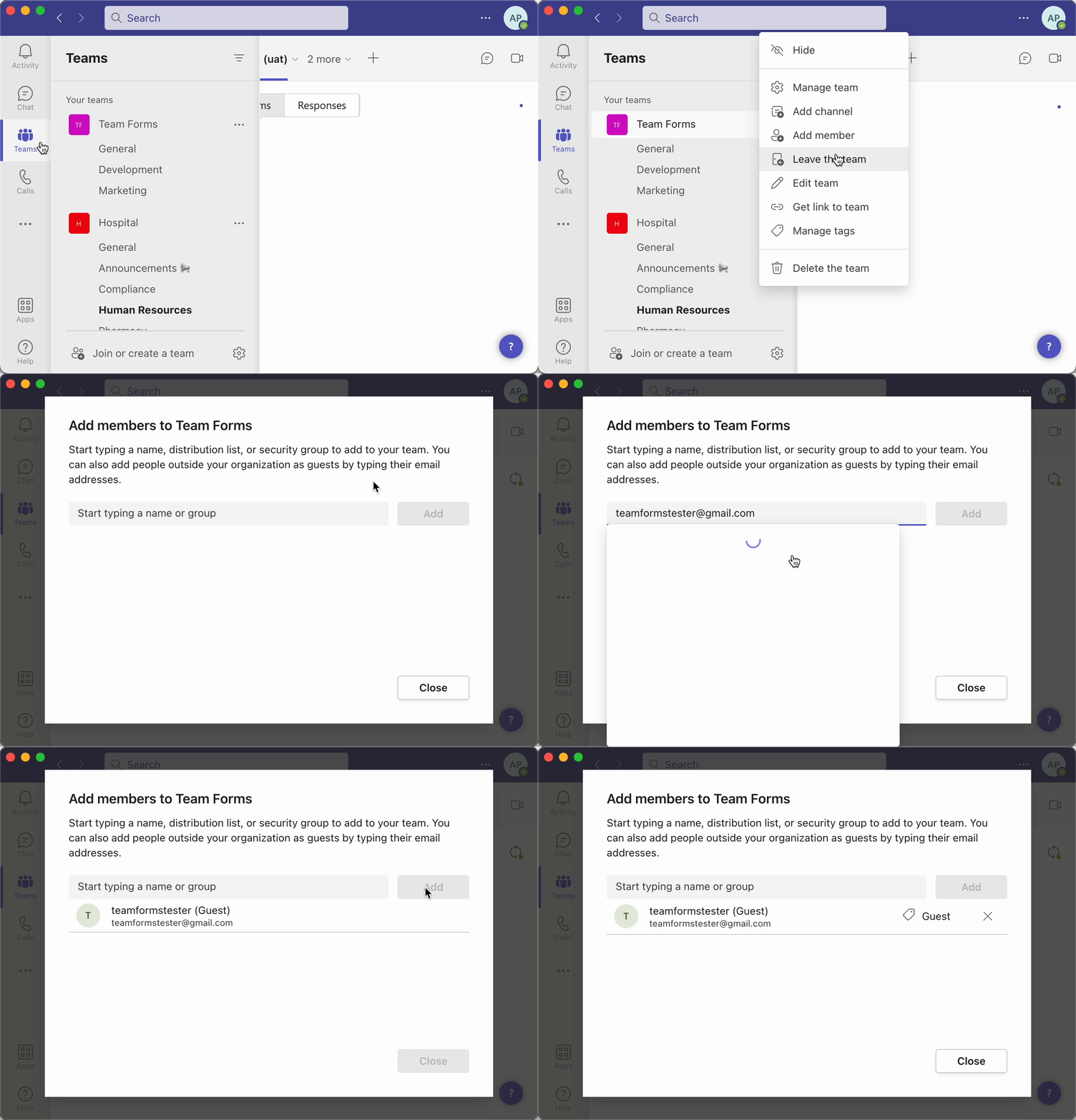
Invite the external user into your team using Microsoft Teams as shown below
-
Generate a link to your organisation’s Team Forms environment and share this link with your external user.