Transfer a subscription purchase through the Azure Marketplace
To accommodate different organisational procurement preferences, Team Forms supports two checkout methods:
-
Direct purchase via Team Forms using our Stripe checkout
-
Purchase via Microsoft (as a reseller) through the Azure Marketplace
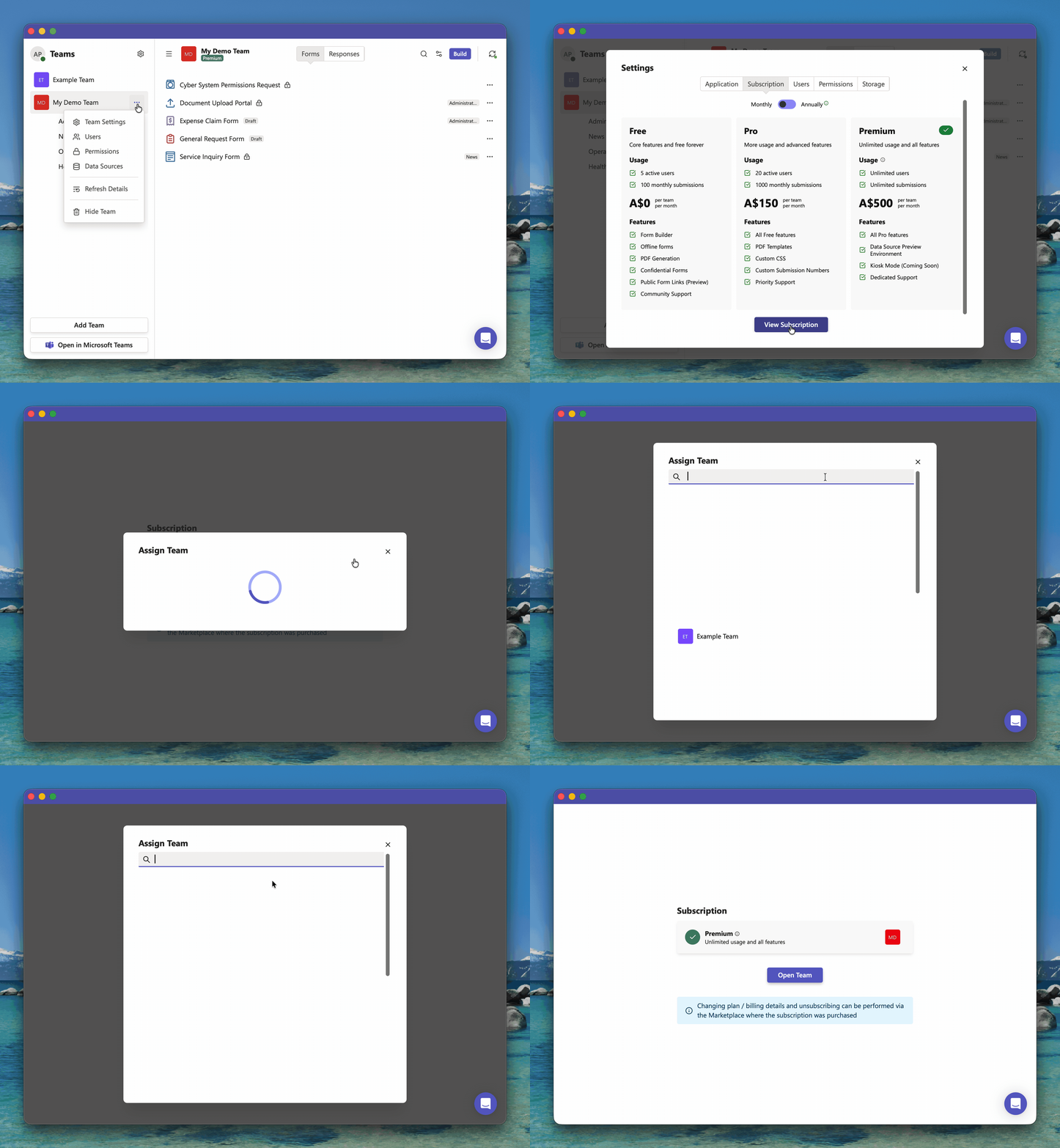
If you purchased your subscription through the Azure Marketplace, you can transfer it to a different team by following the steps below:
-
Open Team Forms and go to the settings of the team that currently holds the subscription
-
Navigate to the Subscription tab
-
Click “View Subscription”
-
You will see your subscription, with the current team’s avatar displayed on the right
-
Click the team icon/avatar to open a dialog, then select the team you would like to assign the subscription to