How can I download a copy of the invoices for my subscription
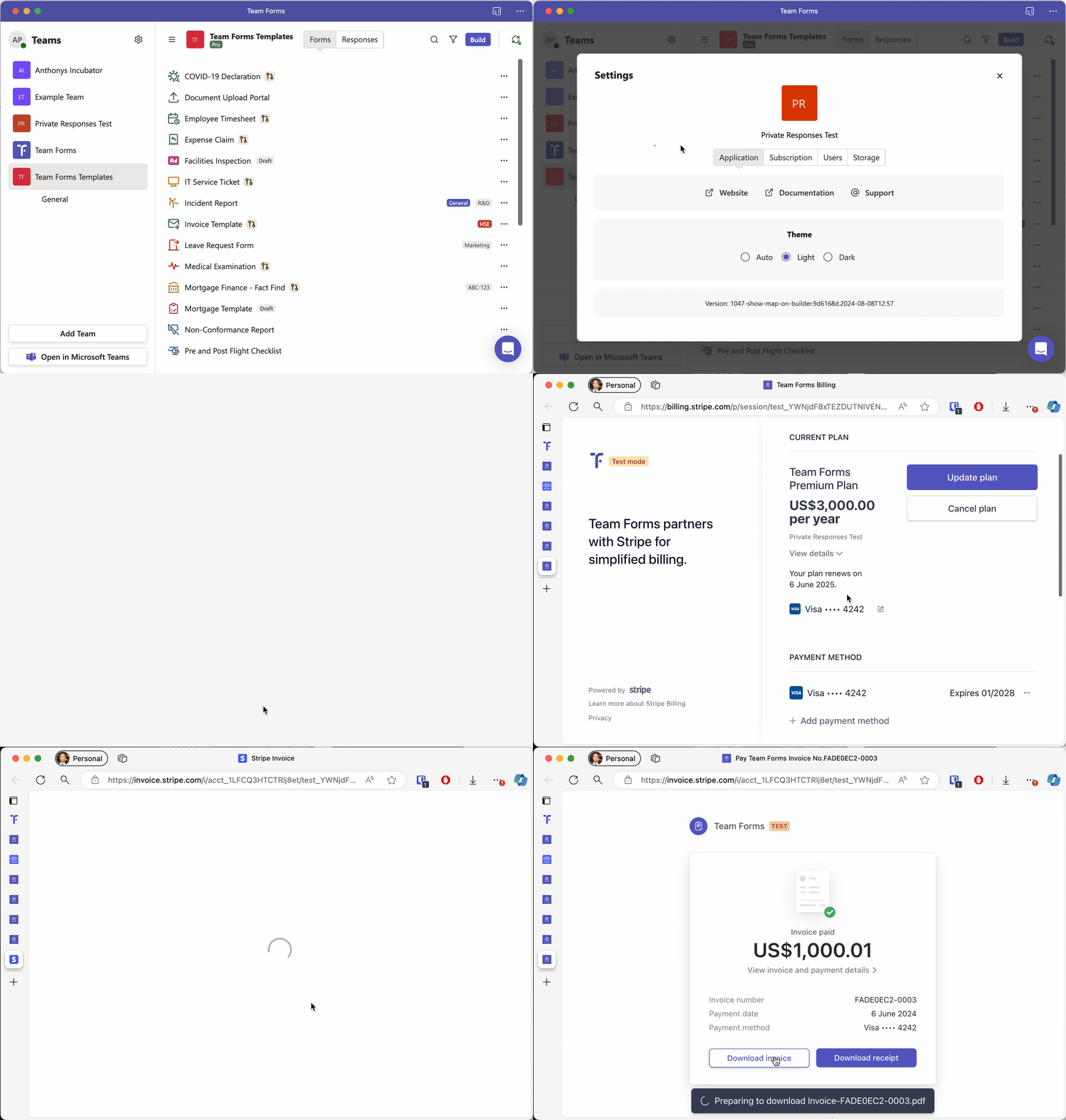
Team Forms provides a self-service subscription management portal where you can go to easily manage your subscription. This includes the option to download a copy of all invoices and receipts. To download a copy of your invoice you can use the steps below:
-
Open the settings for your team and navigate to the subscription tab
-
From here scroll down can click “update subscription”. This will launch the subscription management portal.
-
With the portal scroll down to the bottom of the page to see your invoice history.
-
From here you can simply click any of your invoices to download a copy
You can also open the portal without signing in to Team Forms. Go to the Team Forms billing portal and sign in with the billing email address for the subscription. See Open the billing portal from the sign-in page.