Restrict access to forms within a team
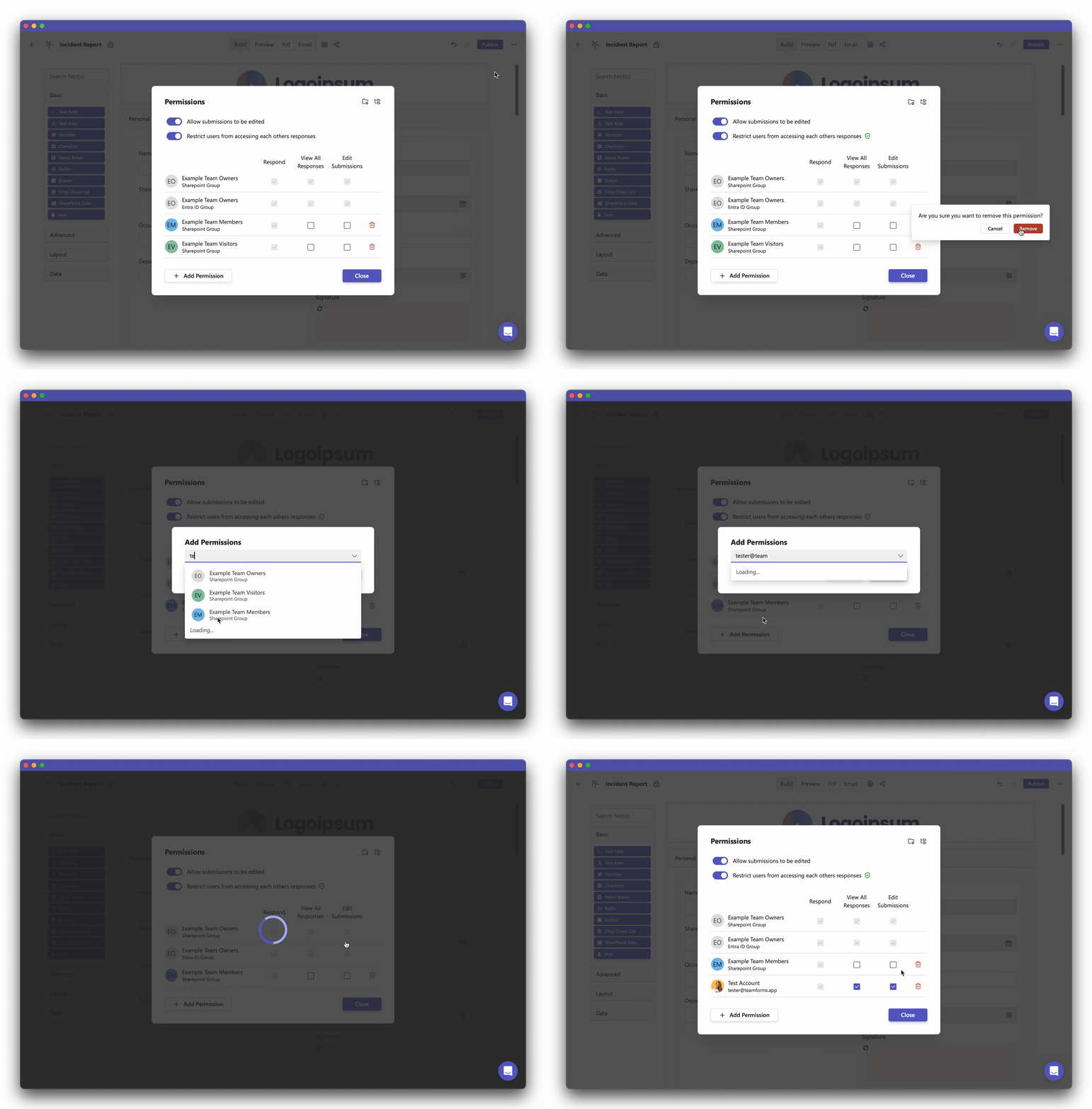
The recommended way to control access to forms is by using teams. However, in some cases, it may be desirable to control which forms people see within a team. Permissions can be used to control a user’s (or groups’) access to both forms and responses. To modify permissions, follow these steps:
-
Open the form builder screen for the form you want to modify the permissions for.
-
Click the “…” icon in the top right corner and then select the “Permissions” option.
-
This will open a dialogue with various options that you can modify.
-
To remove a user or group’s access to a form, locate them in the permissions table and use the recycle bin icon to remove the permission.
-
To allow a user to see a form, simply click “Add Permission,” search for the user, and then click “Add.”