
Using anchor links to scroll to specific questions within your form
You can include hyperlinks in your form using the content component (or even html components). Normally these links will go to external sites, however it is also possible to use a hyperlink to jump to a specific section of a form. This uses anchor links to achieve this. Here how to set them up:
-
Drag and drop a content component into your form and add what ever content (text, images ect) your wish. Using the tool bar add a hyper link what the link set to
#myQuestion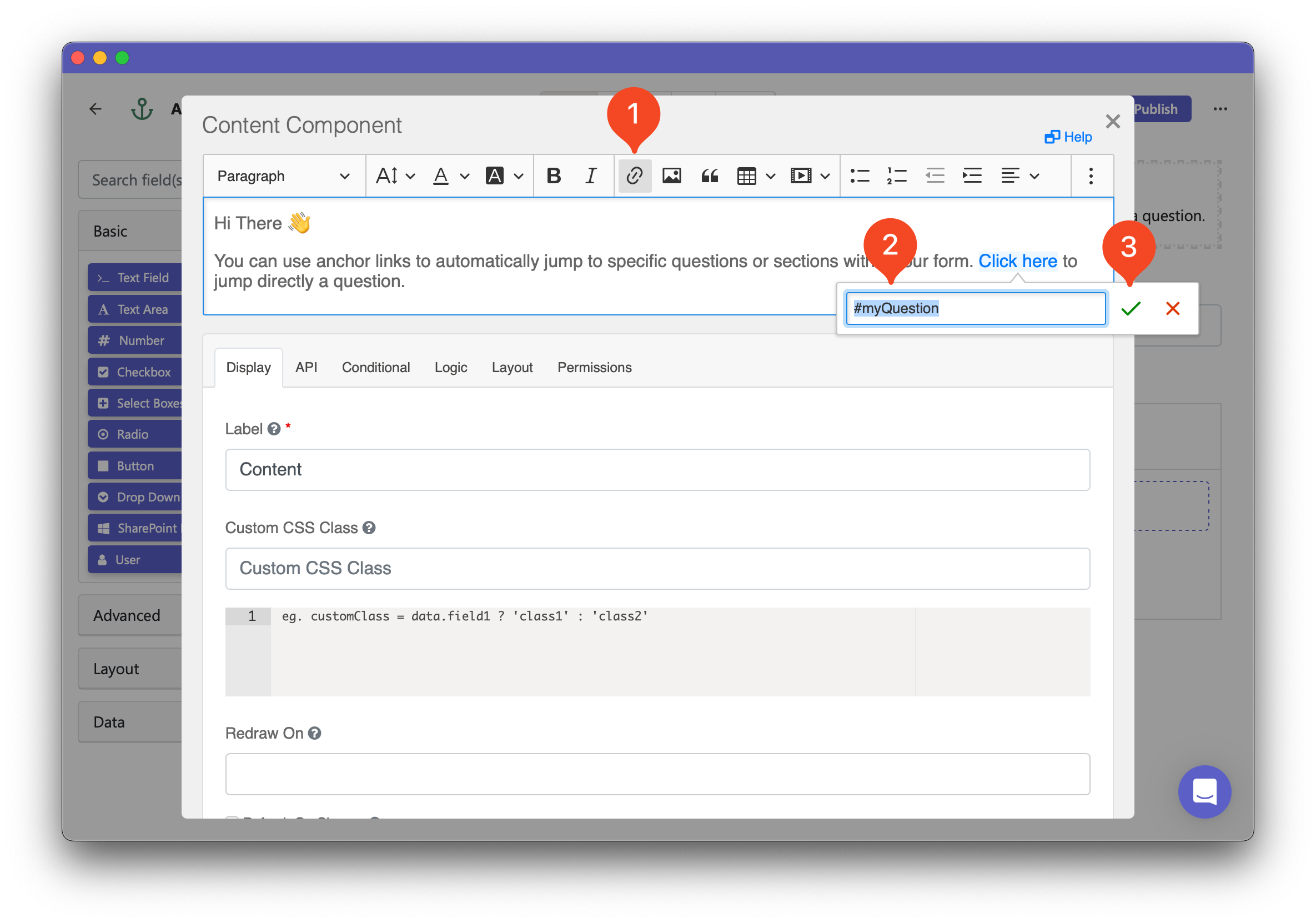
-
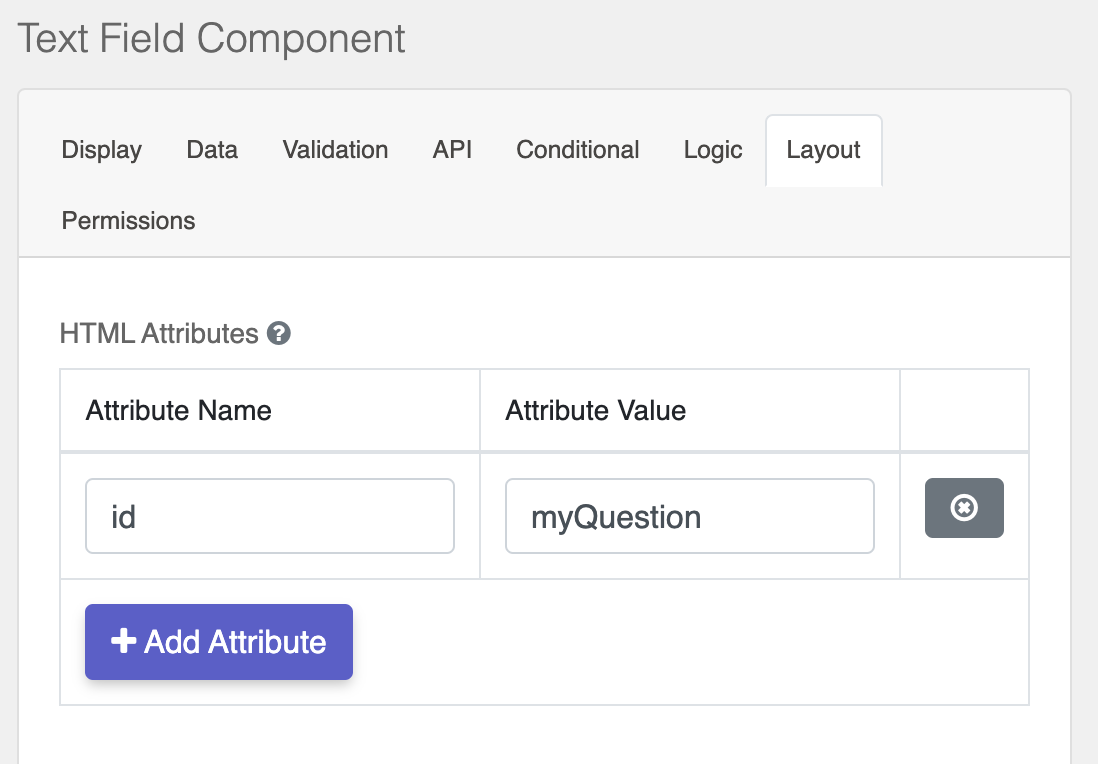
Now open the component settings for the question you wish to jump to when a user clicks the hyper link. Navigate to the Layout tab and under HTML Attributes add an attribute called
idwith a value ofmyQuestion.
-
Now, clicking the hyperlink will scroll the form to the linked question. Ensure the id values match exactly. This simple method improves form navigation!