Why do no tables appear when setting up a data-souce from an excel file
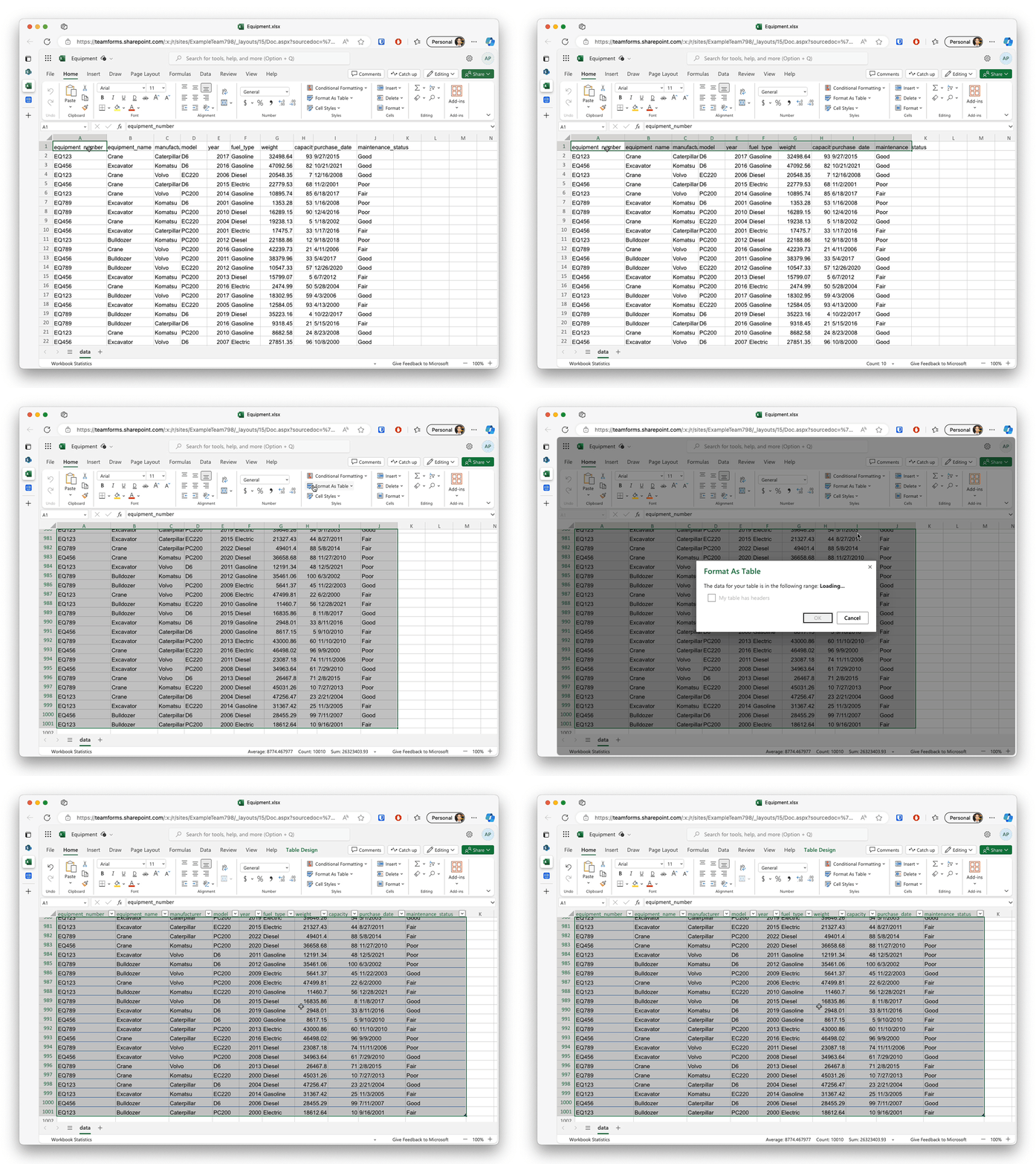
When setting up a data-source based on an excel file you may find that you are unable to select a table. This occurs because your excel spread sheet has not been setup to format the data as an excel table. You can do this with a few simple steps:
-
Open you excel file and highlight all cells for your table
-
Click the “Format as Table” button