Renaming a form
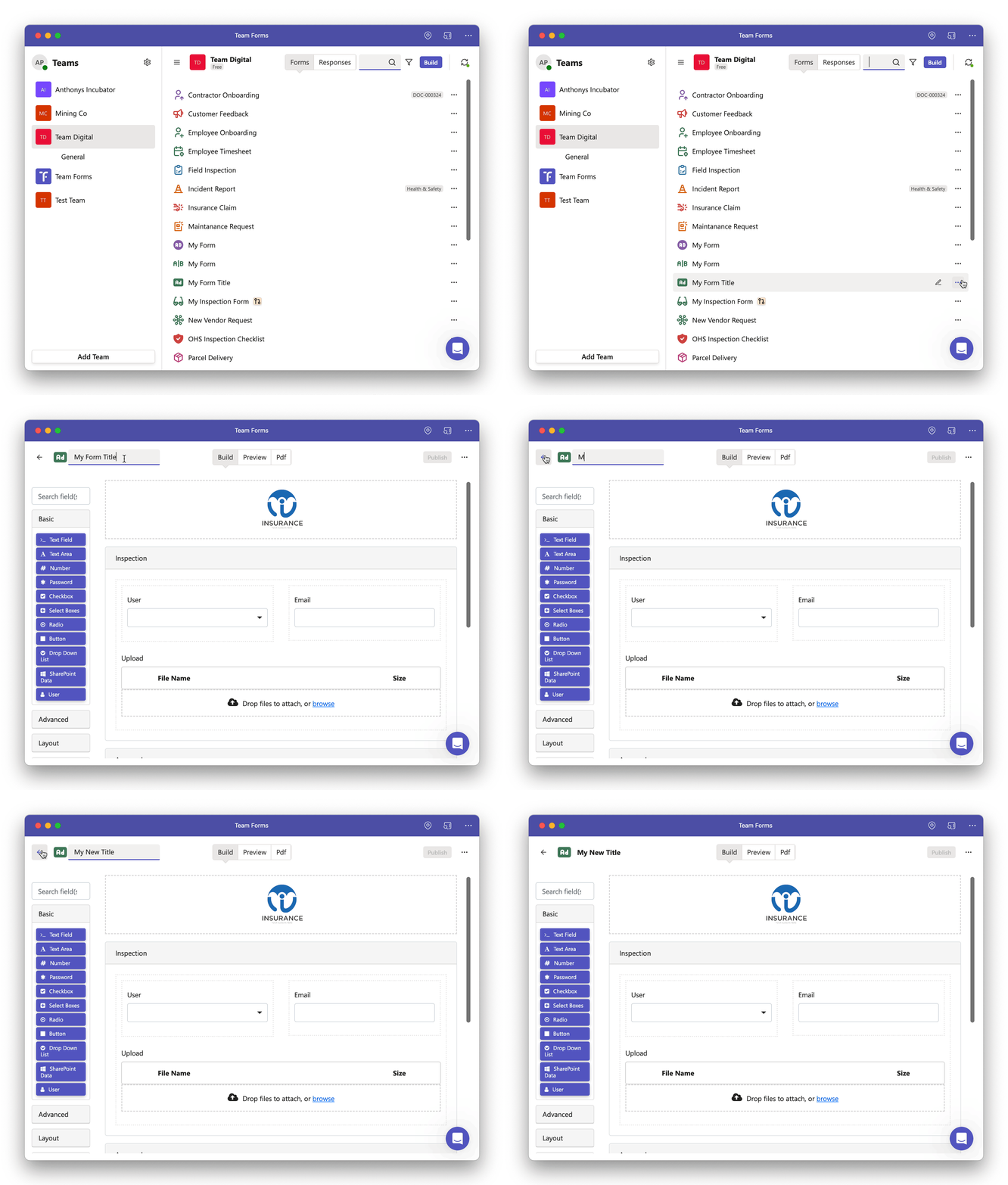
After creating a form, you can effortlessly change its name by following these steps:
-
Open the form builder screen corresponding to the form you want to rename.
-
In the top-left corner of the screen, click on the current title to initiate the editing process.
-
Press the “Enter” key to confirm and apply the new title.